An Introduction to Automation
Every business has tasks that repeat. Automation hands them to software so they run on their own. Here is how to get started with n8n, the free tool we reach for first.
Every business has tasks that repeat. The same email that goes out after every enquiry. The same row copied from one place into another. The same file saved, renamed, and filed away. None of it is hard. It is just endless, and it quietly eats hours you would rather spend elsewhere.
Automation is simply the practice of handing those repeating tasks to software so they run on their own. You set up the steps once, and from then on the machine does the work while you get on with something that actually needs your judgement.
Meet n8n
There are many automation tools out there. The one we want to introduce you to is called n8n. It is an open source workflow automation platform, and the reason we like it is straightforward: it is free to run yourself, it is powerful, and it does not lock your data away on someone else's servers.
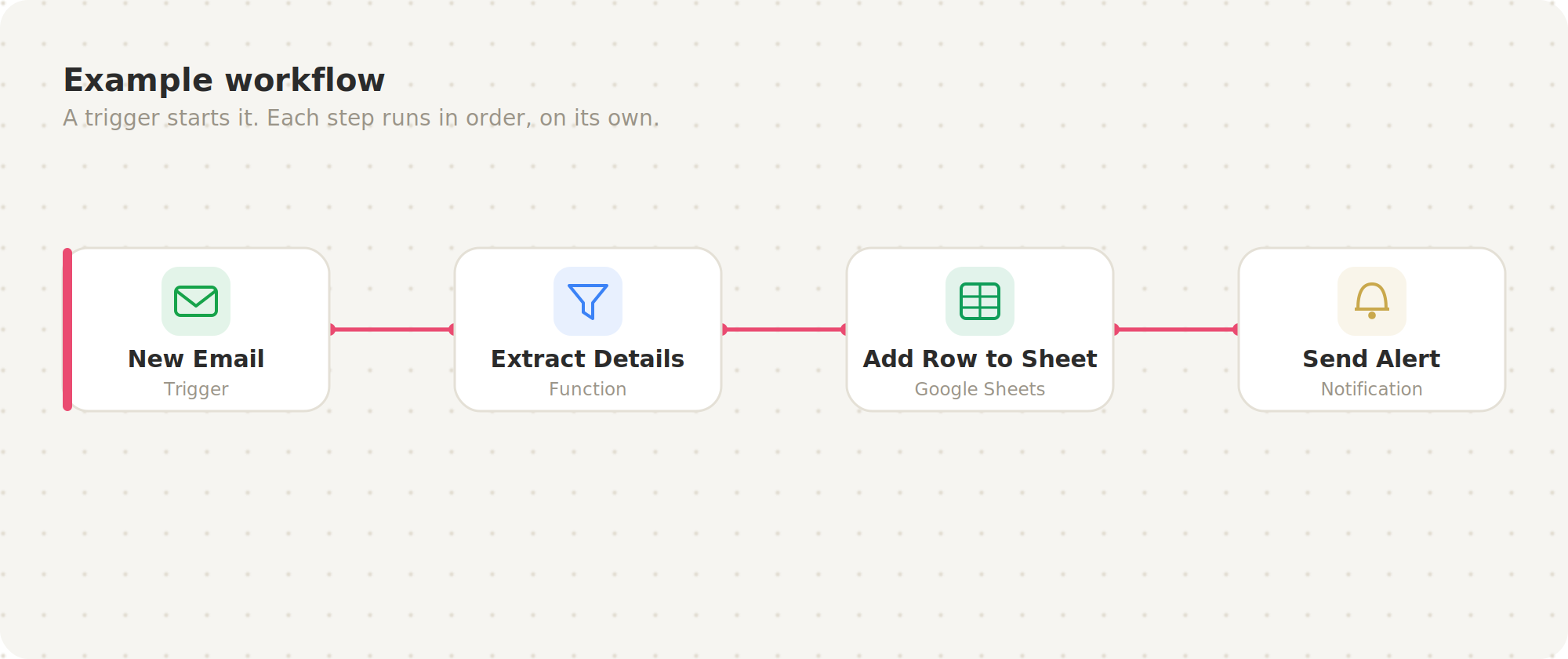
n8n works on a simple idea. You build a workflow visually by joining boxes together. One box is a trigger, the thing that starts the workflow, like a new email arriving or a form being filled. The boxes after it are actions, the steps that follow, like saving a file, sending a message, or updating a spreadsheet. You connect them in the order you want, and n8n runs the chain whenever the trigger fires. No code required to get going.
Running n8n on your own machine
The nicest way to learn n8n is to run it locally, meaning on your own computer, for free. Nothing leaves your machine, so it is a safe place to experiment. There are two common ways to do it.
Option one: with npm
If you already have Node.js installed, this is the quickest start. Open your terminal and run:
npx n8nThat single command downloads and launches n8n for you. Once it finishes starting up, open your browser and go to:
http://localhost:5678You will see the n8n editor, ready to build your first workflow.
If you would rather keep it installed permanently rather than running it fresh each time, use:
npm install n8n -g
n8n start
Option two: with Docker
Docker keeps n8n and everything it needs neatly separated from the rest of your computer, which makes it cleaner to manage and easier to update later. You will need Docker Desktop installed first.
Create a storage space so your workflows survive restarts, then start n8n:
docker volume create n8n_data

docker run -it --rm --name n8n -p 5678:5678 -v n8n_data:/home/node/.n8n docker.n8n.io/n8nio/n8n
As before, open your browser to:
http://localhost:5678The first time you open it, n8n asks you to create a local account with your name, email, and password. This is only for your own machine. There is no cloud signup and no licence key needed for the free Community edition.
What to build first
Once you are in, start small. A good first workflow is one you fully understand, so you can watch it work and trust it. Something like: when a new file lands in a folder, rename it and move it into the right place. Or: when a form is submitted, drop the details into a spreadsheet and send yourself a summary. Nothing dramatic. The magic is not in the size of the task. It is in the fact that it now happens without you.
That is the doorway into automation. You start with one dull, repeating job, hand it to n8n, and get your time back. Then you find the next one, and the one after that. Before long, a good chunk of the busywork simply runs itself.